StoryRadio vs Yoto or Tonie: Phone Bedtime Radio or Kids' Audio Player?
A Yoto- or Tonie-style player is a dedicated children's audio device — usually started with a physical card or figurine — so bedtime can happen without a phone, and the child controls playback themselves. A phone bedtime radio is continuous audio on a device you already own; it stays screen-free only when you start the story, put the phone face-down or out of reach, and skip video. Choose hardware when independence and a phone-free room matter most; choose a free, ad-free continuous app when you want age-matched stories without buying a device and a content library. Many families use both on different nights.
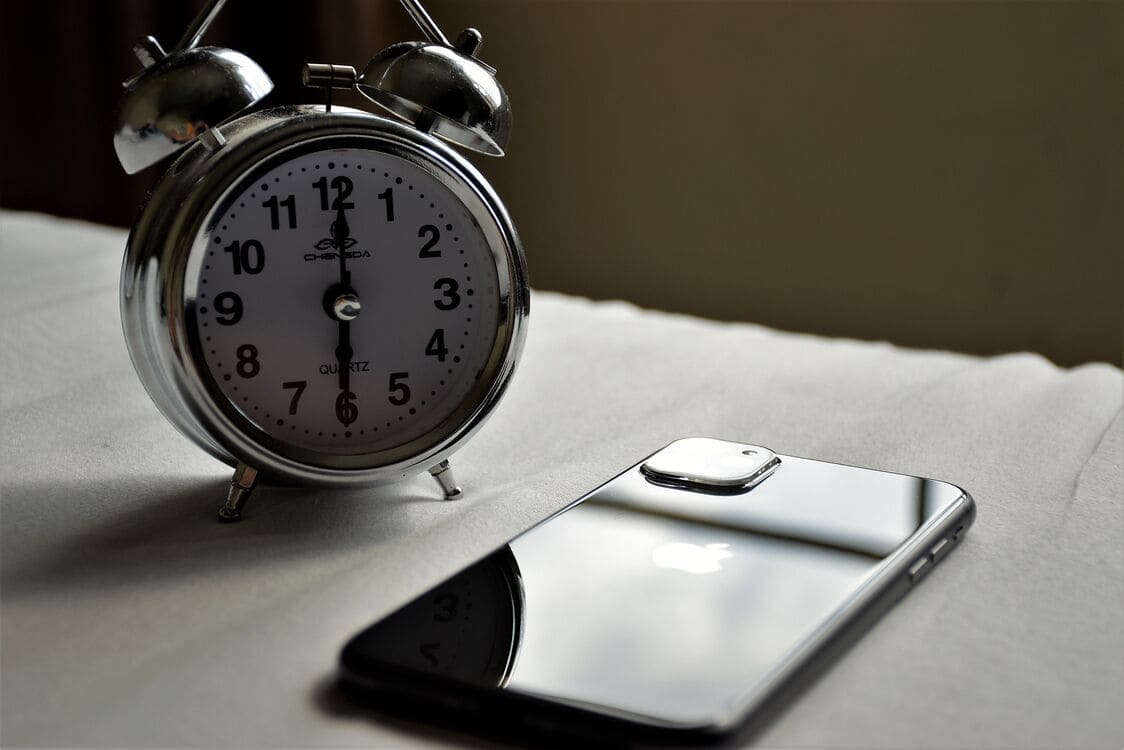
The missing third path
Most "Yoto vs Tonie" articles spend their energy choosing between the two hardware players. This page asks a different question: is hardware even necessary, or does a phone-as-radio do the job? The honest answer is that both have a place, and the best one depends on the family, not on a spec sheet. This is a decision guide, not a "best device" list.
Many families land on a hybrid: a dedicated player in the child’s room, and a phone radio for travel, grandparents’ houses, or the nights when the player’s cards are out of reach. The two are not rivals; they solve different parts of the same problem.
A table to decide
| Criteria | Read aloud | Yoto/Tonie-style | Phone radio |
|---|---|---|---|
| Child starts it alone | No | Yes | After setup |
| Phone out of the room | Yes | Yes | Usually (face-down) |
| Cost shape | Your voice | Device + content | Free tier + optional |
| Continuous playback | No | Varies | Yes |
| Age/interest matched | You choose | Fixed cards/figurines | Automatic |
| Sleep timer / night light | No | Often built in | Sleep timer (app) |
| Ads | None | None | None |
| Published free floor | N/A | N/A | Yes |
What Yoto/Tonie-style players do well
A dedicated player is strong where tactile, child-controlled audio matters. The physical card or figurine makes the choice concrete: a child can start a story without a parent, and there is no phone or app in the room. Many models fold in sleep features like a timer or a soft night light, and the device is built to survive being handled by small hands.
The honest trade-off is the cost shape: you buy hardware, and then you build up a library of cards or figurines over time. That is not a flaw — it is a different model, and it suits families who want a dedicated, child-owned device. For exact current features, check the makers' official pages rather than relying on memory.
For a child who wants to feel in charge, the physical act of choosing a card and pressing play is a real benefit — it gives agency without giving a screen. That independence is the main reason to buy hardware, not any single feature.
What a phone as radio does well
A phone bedtime radio needs no new hardware — it runs on the device already in the house. The story flows continuously, one after another, so there is no gap and no "what next?" decision. Because it is software, it can match stories to a child's age and interests automatically, and it keeps a published free floor instead of asking you to buy content piece by piece. See our guide to continuous bedtime radio.
The other advantage is practical: you are not committing to a device and a growing library before you know whether audio bedtime will stick. The free tier lets you test the routine for zero cost, and only later decide whether more is worth paying for.
Can a phone be screen-free?
Yes — with one habit. Start the audio, then put the phone face-down or out of reach, and skip autoplay video. The screen is not the main event during the wind-down window, so it stays screen-free. See screen-free bedtime stories for the full picture.
The risk with a phone is always the same: a notification, a bright lock screen, or the temptation to switch to video. The fix is not willpower — it is setup. Face the phone down, turn on Do Not Disturb, and leave the room. Once the screen is out of sight and out of reach, it stops being part of bedtime.
Cost shape (not a price list)
These are two different cost models, not two price points. Hardware means a device up front, then more for content as the collection grows. An app means a free floor with published daily minimums, plus an optional membership later that only adds more. If exact numbers matter, check the current store listing at the time you buy — prices change and are not part of this guide.
Read aloud is free but costs your energy. Hardware is a larger upfront commitment with a growing content spend. A phone app is the middle path: a permanent free floor, then an optional paid tier for more. None is better in the abstract — the right one depends on which cost you can sustain.
The chooser flow (3 questions)
- Does your child need to start stories themselves, without a phone in the room? If so, lean toward hardware.
- Is budget or content variety the bottleneck? If buying a device and a library is the constraint, lean toward a phone bedtime radio.
- Is the fight really about glowing video? If so, choose hardware or a phone radio — the answer is not more YouTube.
The goal is not a perfect tool — it is a bedtime that ends with a calm child and a parent who did not have to re-enter the room three times.
Read aloud, the path this guide keeps
Every comparison like this risks forgetting the oldest option: you, reading aloud. It costs nothing, it is deeply bonding, and it works with no device at all. The honest reason parents look for audio alternatives is not that reading is bad — it is that some nights they are too tired to sustain it. A player or a phone radio is a way to keep the story going on those nights, not a replacement for your voice.
How StoryRadio fits
StoryRadio is a phone-as-radio option, not a claim that software replaces hardware for everyone. It has a free tier with published daily minimums, continuous age-matched stories, and no ads, ever. An optional membership, planned for later, only adds more. See our free & kids-safe guide.
The published floor is straightforward: at least 25 stories per day across all channels, at least 3 stories that can be favorited or downloaded, at least 2 imagery-rehearsal (IRT) stories per day, and at least 3 personalized stories per day. No ads, ever. A later optional membership can raise those limits and expand the library without removing the free floor.
Many families keep a dedicated player for home and use a phone radio for travel nights, or vice versa. The point is not to crown one winner — it is to pick the tool that fits tonight.
StoryRadio is also a strong fit for shared, parent-led story time: when a parent holds and controls the phone, chooses or guides the story with their child, and turns the moment into conversation rather than passive listening.
StoryRadio is honest about where it does not fit. If you want the phone completely out of the bedroom, a dedicated player is the better tool. If a child should control playback physically, hardware wins. StoryRadio is the answer specifically when you want continuous, age-matched, ad-free audio on a device you already own.
Frequently asked questions
What is the difference between a kids' audio player and a phone bedtime app?
A kids' audio player (Yoto/Tonie-style) is a dedicated device, usually started with a physical card or figurine, that works without a phone. A phone bedtime app plays continuous audio on a device you already own and stays screen-free only when you start it and put the phone face-down or out of reach.
When is Yoto/Tonie-style hardware worth buying?
When you want a child to start stories themselves without a phone in the room, when tactile cards or figurines fit your child, and when you value a dedicated device with sleep features. It is a hardware purchase plus content over time.
When is a phone as a bedtime radio enough?
When you want continuous, age-matched stories without buying new hardware, when budget or content variety matters, and when you are comfortable leaving a phone face-down out of reach. A free tier with a published floor can be enough.
Can a phone still be screen-free at bedtime?
Yes. Start the audio, put the phone face-down or out of reach, and avoid autoplay video. The screen is not the main event during the wind-down window, so it stays screen-free.
How does StoryRadio fit in?
StoryRadio is a free, ad-free phone-as-radio option. It has a free tier with published daily minimums, continuous age-matched stories, and an optional membership planned for later that only adds more. It does not claim to replace hardware for every family.